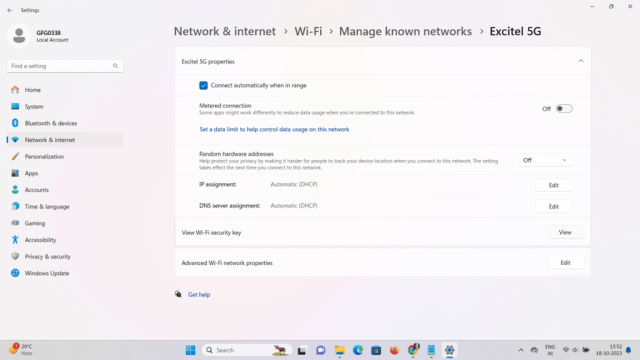
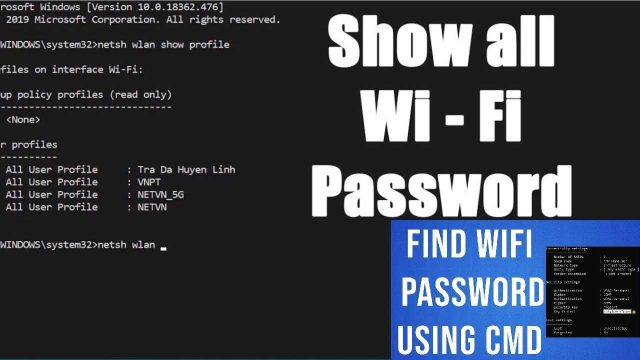
Ever forgotten your WiFi password and wished you could just pull it out of thin air? With the right open source tools, you can. This guide is for anyone who wants to recover a lost WiFi password using Aircrack-ng – the gold standard in wireless security auditing. By the end, you’ll know how to capture a WPA handshake or gather enough WEP initialization vectors (IVs) and crack the password, all from your Linux terminal.
Aircrack-ng is completely free, open source, and runs on Linux. It works with any wireless card that supports monitor mode. Keep in mind: only use this on your own network or one you have explicit permission to test. Let’s dive into the recovery process.
What You’ll Need
- A Linux distribution (Ubuntu, Kali, or similar) – live USB works too.
- A wireless network adapter that supports monitor mode and packet injection. (Many internal laptop cards work; external USB adapters like Alfa AWUS036ACH are great.)
- Aircrack-ng installed. On Debian/Ubuntu: sudo apt install aircrack-ng
- Basic terminal comfort – you’ll be running commands with sudo.
- Patience – cracking can take time, especially for strong WPA passwords.

Step 1: Find Your Wireless Interface and Enable Monitor Mode
First, identify your wireless interface. Open a terminal and run iwconfig. Look for something like wlan0 or wlp2s0. That’s your device. Now we need to take it down, set it to monitor mode, and bring it back up.
If your card isn’t recognized, you might need to kill interfering processes. Run sudo airmon-ng check kill to stop network managers temporarily. Then try again.

Step 2: Scan for Target Networks with airodump-ng
With monitor mode active, use airodump-ng to scan all nearby WiFi networks. This will show you BSSID (MAC address), channel, signal strength, and encryption type (WEP, WPA, etc.).
Press Ctrl+C when you see your target network. Note the BSSID and channel. Then run a more focused capture on that specific network to collect data.
Replace and with the values from the scan. The -w capture sets the output file name (e.g., capture.cap).
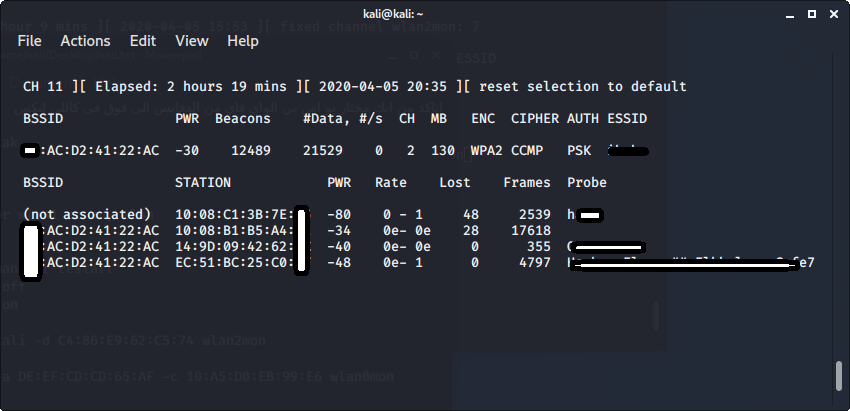
Step 3: Capture the Handshake (WPA) or Enough IVs (WEP)
For WPA/WPA2 networks, you need to capture the 4-way handshake that happens when a device connects. If no device is connecting naturally, you can force a deauthentication to kick a client off, then they’ll reconnect and you’ll catch the handshake.
This sends two deauth packets to the client (replace with a connected device’s MAC from the airodump-ng output). When the client reconnects, airodump-ng will capture the handshake – look for the green line in the top-right saying “WPA handshake: [BSSID]”.
For WEP networks, you simply need to capture enough data packets. Airodump-ng will show the number of IVs collected. Aim for at least 20,000 IVs for a quick crack, or more for harder keys.

Step 4: Crack the Password with aircrack-ng
Once you have the capture file (e.g., capture.cap), you can run aircrack-ng to attempt to recover the password.
WPA cracking is dictionary-based – you need a good wordlist like rockyou.txt (install with sudo apt install wordlist). If the password is weak, you’ll get it in seconds. For WEP, aircrack-ng brute-forces the key statistically and usually succeeds quickly.

Common Pitfalls
- Your wireless card doesn’t support monitor mode. Check with iw list | grep Monitor. If not, you need an external adapter that does.
- Deauth attack didn’t capture handshake because you deauthed the wrong client or the client didn’t reconnect. Try multiple times or wait for natural reconnection.
- Wordlist doesn’t contain the password. For WPA, the password must be in the dictionary. Consider using a larger list or rules-based cracking (not covered here).
Where to Next
Aircrack-ng is just one piece of the puzzle. Check out our advanced wifi password recovery methods or the free wifi password recovery tool guide for other approaches. If you’re on Windows, you might prefer wifi password recovery using cmd or view saved wifi password using powershell. And if you’ve completely lost your network’s password, our lost password recovery guide can help you recover it without cracking.