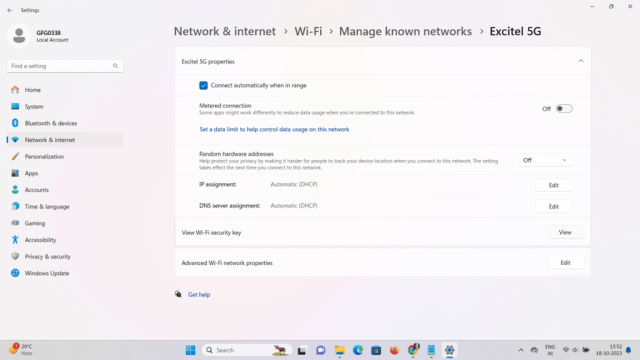
If you’ve ever forgotten your WiFi password (let’s be real, who hasn’t?), you know the panic of trying to find that little sticker on the router or digging through old emails. This guide is for anyone who’s ever connected to a network but can’t remember the password now. By the end, you’ll have a working WiFi password recovery software installed and know exactly how to dig those keys out of your computer, whether you’re on Windows, Mac, or Linux. We’ll stick to free, open-source tools that the Reddit community actually trusts, so you don’t accidentally download malware.
We’ll cover everything from picking the right tool to avoiding common traps like fake download buttons. Plus, I’ll throw in some tips from r/wifi and r/techsupport that’ll save you time. Ready to get your network back? Let’s dive in.
What You’ll Need
- A computer that has previously connected to the WiFi network you want to recover
- Administrator access (for Windows) or sudo privileges (for Mac/Linux)
- An internet connection to download the software (if you don’t have one, check our guide on how to recover wifi password without internet)
- A USB drive or cloud storage to save the exported password list
- Patience and a bit of caution
Step 1: Choose the Right Recovery Tool
Reddit’s favorite picks are usually open-source, lightweight, and have no hidden surprises. On Windows, go for WirelessKeyView (from NirSoft). On Mac, use the built-in Keychain Access or a command-line tool like `security`. On Linux, you can find everything in `/etc/NetworkManager/system-connections/`. If you want a comprehensive list, check out our best wifi password recovery app article.

Step 2: Download from a Trusted Source
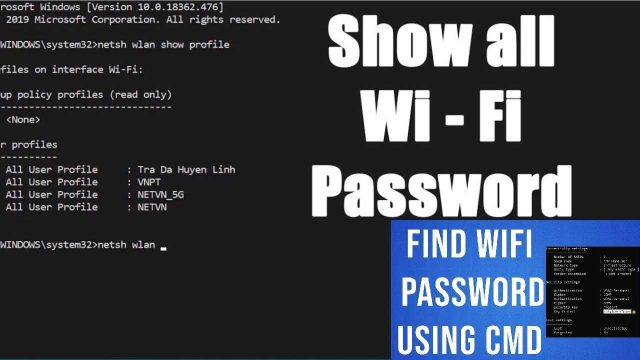
Never download from pop-up ads or shady sites. Stick to the developer’s official page or a reputable repository like GitHub. For WirelessKeyView, go straight to NirSoft’s site. For Mac, you don’t need to download anything – we’ll use the terminal. For Linux, the files are already there. If you’re on Windows, you might also want to view saved wifi password using cmd as an alternative.

Step 3: Run the Recovery Software
Extract the downloaded ZIP file (if any) and run the executable as Administrator. On Windows, right-click and select “Run as administrator.” The tool will immediately scan all saved WiFi profiles and display them in a table. On Mac, open Terminal and type `security find-generic-password -wa “YOUR_SSID”`. For Linux, open a terminal and `sudo cat /etc/NetworkManager/system-connections/SSID`. For a more visual approach, follow our wifi password recovery for macbook pro guide.
Step 4: Export or Copy the Password
Once you see the password, you can copy it manually or export the entire list. WirelessKeyView lets you save as a text file, HTML, or even CSV. On Mac, redirect the output with `>`, e.g., `security find-generic-password -wa “SSID” > password.txt`. On Linux, just copy the psk= line. Keep this file secure – don’t leave it lying around. For longer-term storage, our wifi password recovery maintenance guide has tips.

Step 5: Alternative – Log Into Your Router
If software doesn’t work (say, you never connected the computer), you can always recover the password directly from the router’s admin panel. Check out our guide on wifi password recovery with router login. Just plug in via Ethernet, visit 192.168.1.1 or similar, and look under Wireless settings. Make sure you know the admin credentials though – they’re often printed on the router.
Common Pitfalls
- **Fake software**: If a tool asks for payment or shows ads aggressively, it’s likely a scam. Stick to the ones mentioned on Reddit.
- **Antivirus false positives**: Some legitimate tools (like WirelessKeyView) get flagged as potential threats because they access stored passwords. It’s safe as long as you downloaded from the official source.
- **No admin rights**: Most recovery methods require administrator or root access. If you’re on a work or school computer, you might be locked out. In that case, use a live USB Linux boot.
A Reddit user once said, ‘WirelessKeyView is a lifesaver, but always check the hash on NirSoft’s site before running it.’
Reddit user
Where to Next?
You’ve got your password back – now what? Consider setting up a password manager to avoid this mess again. Or, if you’re curious about recovering passwords on other devices, check our articles on best wifi password recovery app or view saved wifi password using cmd. And if you ever need to recover without any software, our how to recover wifi password without internet method might help. Stay secure, and keep those networks safe!